
PlanJinn V5
You describe a program. PlanJinn turns it into a verified plan, lets the AI write the code piece by piece, builds it with the built-in PBXB64 compiler and only calls a project finished once the program has really been built and tested.
Version V5
Why not just chat with an AI?
A chat produces code quickly – but nobody checks whether it is complete, whether it compiles, or whether the program does what it should. On longer tasks the chat loses track. That is exactly where PlanJinn comes in:
| Typical AI chat | PlanJinn | |
|---|---|---|
| Goal | Drifts over many messages. | Approved once in the Definition stage and used by every later step. |
| Design | One long answer. | A program graph of functions, callers and contracts – verified level by level. |
| Code | Everything at once, often with placeholders. | One function at a time, with context about callers, rules and the build command. |
| Verification | You test it yourself. | Build, tests and the readiness check run automatically; placeholders and hard-coded results are rejected. |
| Progress | Lives in the chat history. | Stored as files in the project folder – traceable and resumable. |
| Context | Grows with every message; early details get lost. | Every step is a fresh request built from the project files – no chat history. |
| Hand-over | Code snippets to copy. | A normal project folder you can keep working on in any editor or coding tool. |
| Data | Goes to a cloud service. | With LM Studio everything stays on your PC. API providers are used only if you set them up. |
How PlanJinn works
PlanJinn is a gated workflow: each stage writes files as evidence that the next stage builds on. On the dashboard you work through the stages from top to bottom; AI expert boards can review them.
- Project SetupChoose the task, the AI provider and the project folder, describe your goal – typed or dictated.
- DefinitionThe AI refines your idea, a review follows, you click Approve.
- StructureFeatures, flow, subsystems, commands and language – checked against the approved brief.
- Code ContextThe rules for the code: Do, Do Not and compiler notes from the language preset.
- Stub SystemProcedures with name and signature but no code yet – refined round by round until the structure is final.
- Todo / InterfacesThe code, procedure by procedure. Each one is compiled, tested and checked by an AI inspector.
- ReadinessBuild, tests and an independent re-run of the finished program – only then Ready=Yes.
Everything lives in your project's .PlanJinn workspace. So you can always check what the AI did – and an interrupted run resumes on the next start.
10_Definition\your description → AI refinement → approved brief20_Structure\features, flow, subsystems, commands, languages25_CodeContext\rules: Do / Do Not / compiler notes31_StubRegistry\stub list (CSV), program graph, dossiers, coverage35_Completion\code attempts and their check results37_Readiness\37_00_Readiness_Report.md → Ready=Yes / NoWhat PlanJinn V4 looks like
Real screenshots from PlanJinn V4. Click an image to open it in full size.


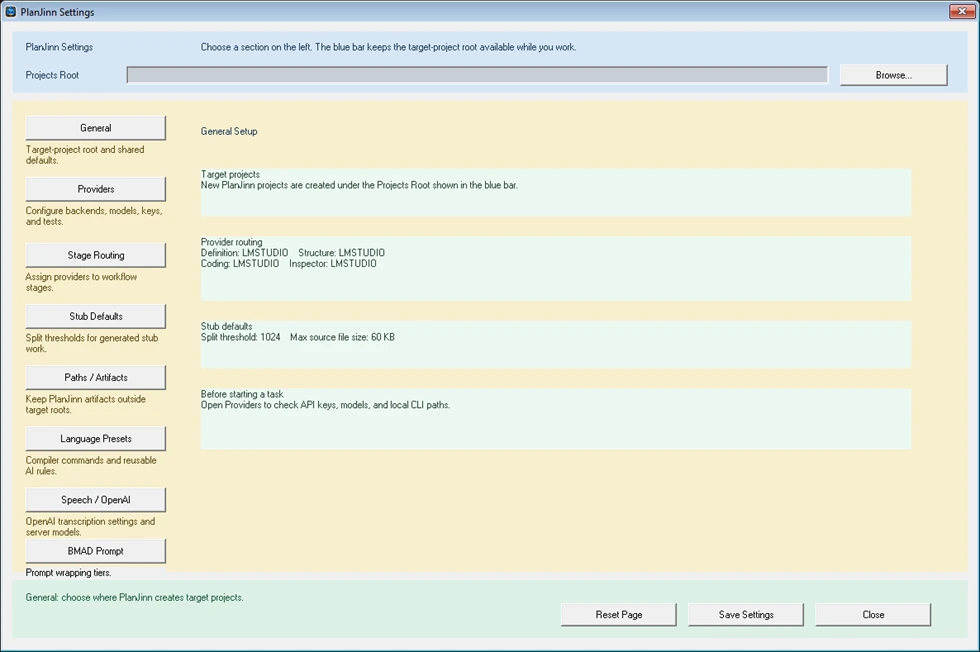


Understand first, then build
In Definition you write down your idea; the AI turns it into a clear brief that you approve. Structure fixes features, flow, subsystems, commands and language. This approved state is the yardstick for everything that follows – no drifting across many prompts.
- Your original intent is kept as the root requirement
- Optionally an expert board (e.g. architect, QA, security) reviews each approval
- You can edit, retry or deliberately override at any time

Rules and small contracts
Code context defines the rules the AI must follow while coding – compiler call, language specifics, forbidden patterns. The Stub System splits the program into manageable contracts: who calls whom, and what must each function deliver? PlanJinn expands this program graph level by level and verifies each level before opening the next one.
- Hollow stubs that only print status text are rejected
- The structure is frozen only once every function is covered
- Shared-data plan: one plan says which part reads and writes which data – enforced in every coding attempt
- Ready-made presets for the built-in PBXB64 compiler: PowerBASIC-compatible BASIC and C17

Write the code – and prove that it runs
In Todo / Interfaces the AI always gets one procedure – as a fresh request with its contract, the caller context, the rules and the build command. Each procedure is compiled, tested and checked by an AI inspector; rejected code is rolled back and the reason goes into the next attempt. Readiness only calls a project finished when build and tests pass and an independent re-run of the program on test inputs is confirmed by an output judge. A failure is routed back to the part that caused it.
- AI output counts as advice until files, build log and tests back it up
- Missing result files or hard-coded answers fail
- Common compiler errors are fixed automatically; generated code can still need several automatic repair rounds
Works with small local models, too
PlanJinn V4 was certified with Agnes AI – a model that is weaker than a typical 9B local model such as Qwen 9B. That is why small local models (around 9 billion parameters) in LM Studio can work too: PlanJinn gives them small, checked steps and repairs common mistakes itself.
- Certified with Agnes AI: the PriceList sample program, end to end from the description to the checked build
- Local with LM Studio: PlanJinn uses the model that is currently loaded. No models are included – you bring your own
- Fresh context for every step: each request is rebuilt from the project files – no growing chat history
- Automatic repair of common compiler errors; a failed build goes back with the compiler error
Scope: small programs. Larger or stronger models give faster and better results – for bigger projects use a stronger model.

The right AI for each job
In the settings you decide which provider handles which stage: definition, structure, stub refinement, coding and inspection. New installations start with LM Studio – local and without API keys.
- Local: LM Studio with the currently loaded model
- API providers: OpenAI, Agnes AI, DeepSeek, Z.AI and SindByte – set up under Settings › Providers with your own account
- CLI agents: Codex, Kimi and OpenCode. OpenCode support is new and experimental and needs the separately installed OpenCode CLI
- Prototype cheaply, refine where it matters: start with a local or low-cost model, polish wherever you like – the result is a normal project folder
- Expert boards: reusable reviewer groups with their own focus and rules

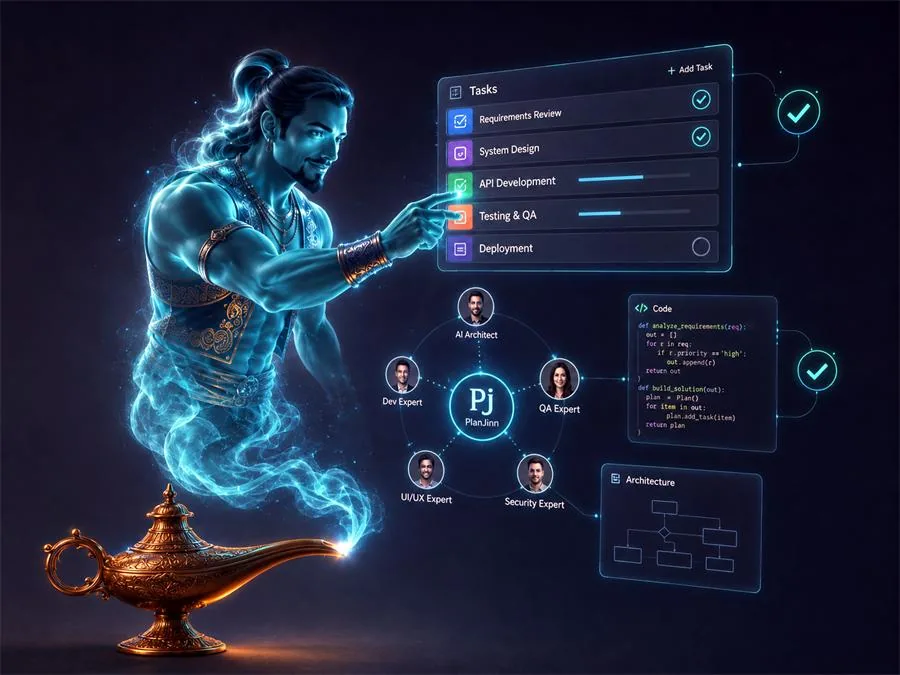
What you can use PlanJinn for
Each task type has its own workflow and a matching default expert board.
New in V4 – what changed since V3
For V3 users, these are the key changes: PlanJinn builds right after unpacking, keeps a run going on its own and checks the finished program independently.
Ready after unpacking
- Compilers built in: PBXB64 (PowerBASIC-compatible BASIC) and PBXB64C (C17) build native Windows x64 programs – new projects build right after unpacking
- AI per stage: LM Studio, OpenAI, Agnes AI, DeepSeek, Z.AI, SindByte and the CLI agents Codex, Kimi and OpenCode (new, experimental)
- Portable and signed:
PlanJinn.exeandPBXB64.exeare digitally signed and RFC 3161 timestamped;SHA256.txtlists the hash of every file - Help included in the ZIP
Keeps going instead of stopping
- Procedure by procedure: each one is compiled, tested and checked by an AI inspector. Common compiler errors are fixed automatically, rejected code is rolled back
- When a model gets stuck, PlanJinn rewords the task, splits it into smaller parts or redesigns the plan
- Rate limits: PlanJinn waits out provider rate limits and retries
- Open owner question: PlanJinn records an assumption and the run continues on it
Catches hidden defects
- Shared-data plan: one plan says which part reads and writes which data, enforced in every attempt. The code inspector now follows this plan instead of a part's outdated description
- Runtime checks catch silent defects: a lost last line, bitwise NOT, unsized arrays, success-code clashes and more
- Independent output check: the built program is re-run on test inputs and an output judge must confirm the results. A failure goes back to the part that caused it
- Compiler workarounds for known PBXB64 issues: PARSE$ with multi-character delimiters, LINE INPUT into a BYREF string parameter
How PlanJinn V4 was tested
The question was not whether one generated program could be fixed by hand, but whether PlanJinn itself drives the model, builds the program, runs its checks and rejects weak results.
- End to end with the Agnes AI provider: the PriceList sample program from the description to the checked build
- The MiniBasic regression test
- The stage gates of the workflow
- Portable start: the unpacked package starts in an empty folder without installation
To be honest: not covered yet
- Large projects – the tests on this build used a small sample program
- Other sample programs beyond the tests listed here
- OpenCode – support is experimental
- Third-party compilers that are not shipped
Package and requirements
- Windows desktop application that produces native Windows x64 programs
- Portable: unzip into a writable folder (e.g.
C:\Tools\PlanJinn, notC:\Program Files) and startPlanJinn.exe– no installer, no registry entries, no separate compiler download for PBXB64 - Compiler built in: PlanJinn ships the PBXB64 compiler and is ready to build right away. Two ready-made presets drive it: PowerBASIC-compatible BASIC (PBXB64) and C17 (PBXB64C). The help is included in the ZIP
- Other compilers: PlanJinn can also drive PowerBASIC (PBWin), MinGW C, FreeBASIC, PureBasic, Oxygen Basic and Lazarus when they are installed on your PC (set the path once in the settings)
- AI: LM Studio with a loaded model (local) or an AI provider of your choice. No models or API keys are included – you bring your own model or provider account
- Integrity:
PlanJinn.exeandPBXB64.exeare digitally signed;SHA256.txtlists the hash of every file
Privacy: with LM Studio, descriptions and source code stay on your PC. If you set up an API provider, project data is sent to that provider – its terms and prices apply.
Frequently asked questions
Do I need programming skills?
You should be able to describe what the program must do and judge the intermediate results. The stages guide you; the AI writes the code under PlanJinn's supervision.
What does PlanJinn cost, and which license applies?
PlanJinn and the built-in PBXB64 compiler share one license: free for private, non-commercial use. Business, team and commercial use needs a business license – via the Smart Package Robot shop or by email to info@it-berater.org. LM Studio runs locally; external AI providers charge according to their own current terms.
What hardware do I need for a local model?
There are no fixed minimum requirements. For a small local model (around 9B) in LM Studio you need a graphics card with enough memory for the model and its context; larger models need more. Load the model with its full context length if possible and use one parallel request.
What happens when a coding attempt fails?
The compiler error or the inspector's reason goes into the next attempt, and rejected code is rolled back. If the model stays stuck, PlanJinn rewords the task, splits it into smaller parts or redesigns the plan. Provider rate limits are waited out, and an open owner question is answered with a recorded assumption so the run can continue. Generated code can need several automatic repair rounds. You can follow progress on the dashboard at any time and stop a run yourself.
Where are my files?
The target project lives in your project folder. Planning files, the program graph, attempts and evidence live in the project's workspace; settings and logs next to the EXE. Restore From Checkpoint takes you back to an earlier state.
Is PlanJinn the same as WorkJinn?
No. PlanJinn takes a program from idea to verified build. WorkJinn is the local project workflow for longer, staged agent work. They complement each other.
Using PlanJinn in your company?
We set PlanJinn up with you – including a suitable local model, provider routing and an introduction for your team.
Free intro call Pricing
Free for private use, cleanly licensed for business
Private, non-commercial use is free. Business, team, and commercial usage goes through Smart Package Robot or by email to info@it-berater.org.
Download Activity
Daily activity for every offered download over the rolling last 28 days. Each downloadable file has its own persistent color.