Clean Up a Project Workspace
An agent can inspect a folder tree, group files by project or extension, archive old output, and keep only the latest report set without you manually opening Explorer.
Typical families: FileTools, DataTools, MemoryTools.

The audited product surface is broader than the older marketing copy. The current config audit shows 237 feature-flag entries across 19 MCP families; add the two core/runtime routes and the host-callable surface becomes 239 tools, but each client still sees only the currently registered subset. Below are realistic outcomes, not abstract category names.

The screenshots below were captured from the running local SindByte server during this update. They turn the story page into product proof instead of leaving it at category claims.
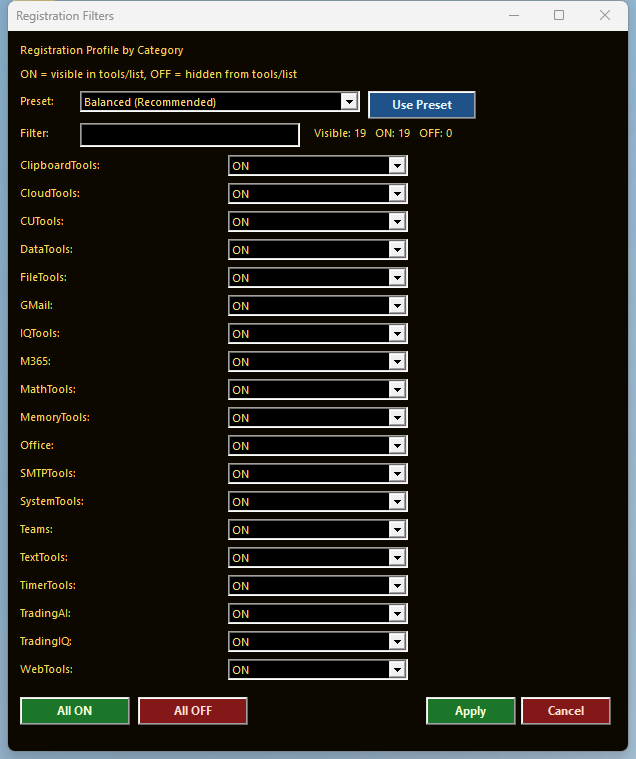
Families can be published, reduced, or hidden per host profile instead of exposing the full catalog everywhere.
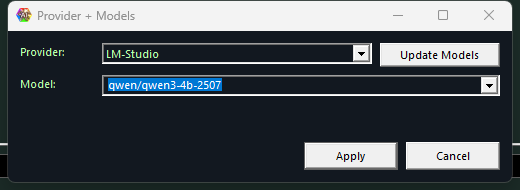
Timer jobs, chat sessions, and trading workflows can switch provider and model slots from a dedicated routing dialog.
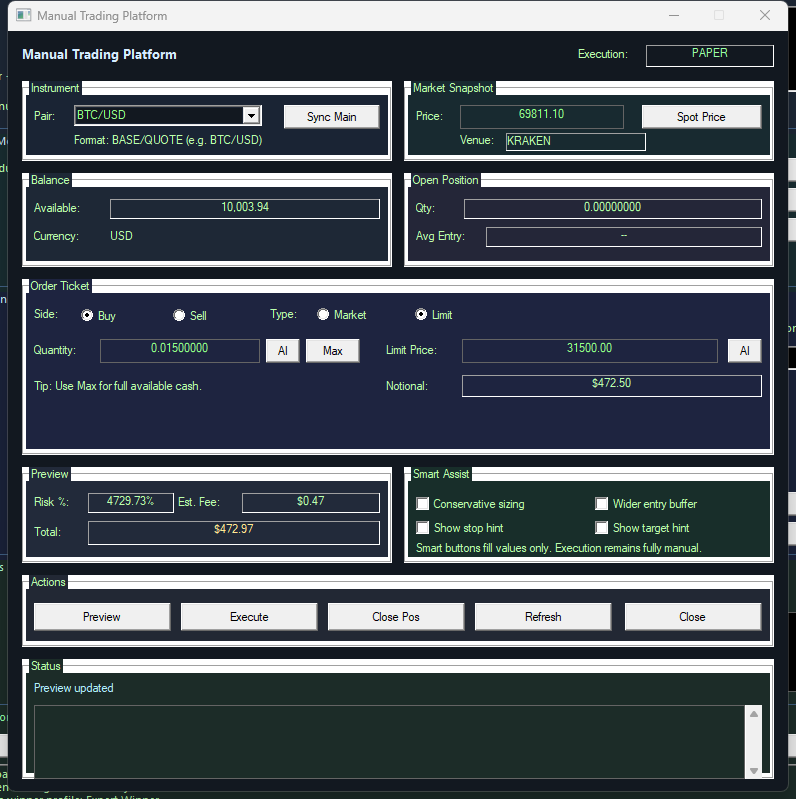
The manual desk gives a controlled path for previewing size, totals, and venue state before any operator-confirmed action.
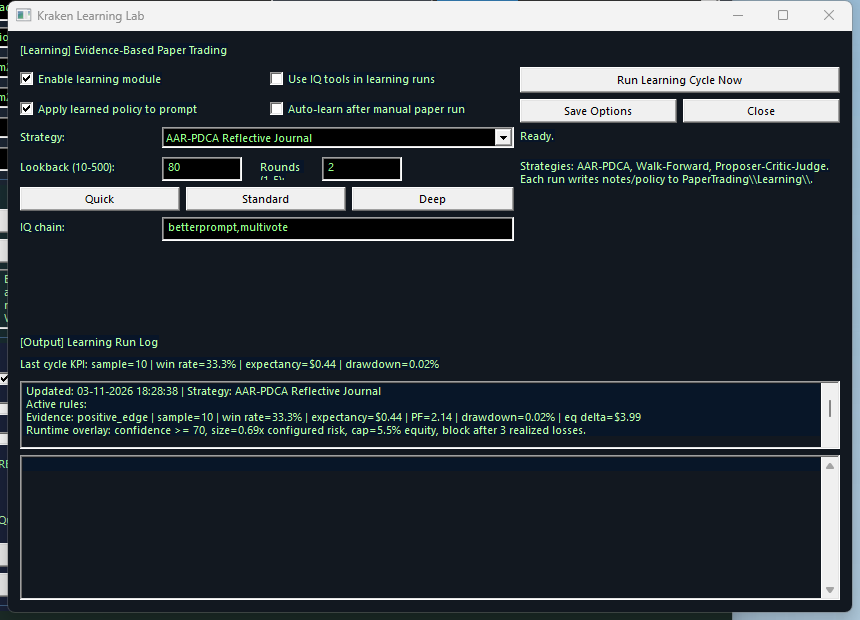
Paper-trade evidence feeds into policy and prompt overlays so the system can get stricter before live use is reviewed.
An agent can inspect a folder tree, group files by project or extension, archive old output, and keep only the latest report set without you manually opening Explorer.
Typical families: FileTools, DataTools, MemoryTools.
SindByte can find windows, capture screenshots, click buttons, send keys, and confirm the result in a second screenshot. This turns repetitive GUI work into a controlled agent loop.
Typical families: CUTools, SystemTools.
You can save timers for hourly checks, morning summaries, nightly maintenance, or recurring market scans. Each timer can combine a provider, a model, and an IQ chain.
Typical families: TimerTools, IQTools, WebTools.
Instead of trusting a single raw model answer, you can run SelfCritique, Validate, Debate, ExpertPanel, or MultiVote first and only then write the file, send the mail, or trigger the next step.
Typical families: IQTools, MemoryTools, FileTools.
Dialog-LAB lets you run A/B/C style discussions, extract thinking blocks, keep logs, dictate prompts, and speak answers back. It is useful when one answer is not enough.
Typical surfaces: Dialog-LAB, LMChat, provider/model dialogs.
With the OpenAI image path enabled, SindByte can generate an image, edit it, resize it, and convert it directly into a deployable asset. The site image on this page was generated through the server.
Typical families: CUTools, CloudTools.
You can scan venues, evaluate candidates with MultiVote and Consensus, record learning notes, and stay in paper mode until the strategy is stable enough for live review.
Typical surfaces: Trading Hub, TradingIQ, TradingAI, Kraken learning flows.
Listing processes, checking services, reading environment variables, running a controlled PowerShell step, or locating the active install path all become agent-callable operations with confirmation levels.
Typical families: SystemTools, FileTools, DataTools.
Where credentials are configured, SindByte can assist with Office automation, mailbox tasks, Teams access, and outbound SMTP/Gmail routines without leaving the MCP workflow.
Typical families: Office, M365, Teams, GMail, SMTP.
A client can fetch sites, extract text, summarize with IQ chains, and then save a cleaned report, schedule a follow-up timer, or feed the result into a trading or coding decision flow.
Typical families: WebTools, DataTools, IQTools, TimerTools.