
Frequently Asked Questions
Quick answers to the most common questions about SindByte. Can't find what you're looking for? Check the Setup Guide for detailed instructions.
Jump to Section:
General Questions
Setup & Installation
SindByte 01.exe to run.Tools & Features
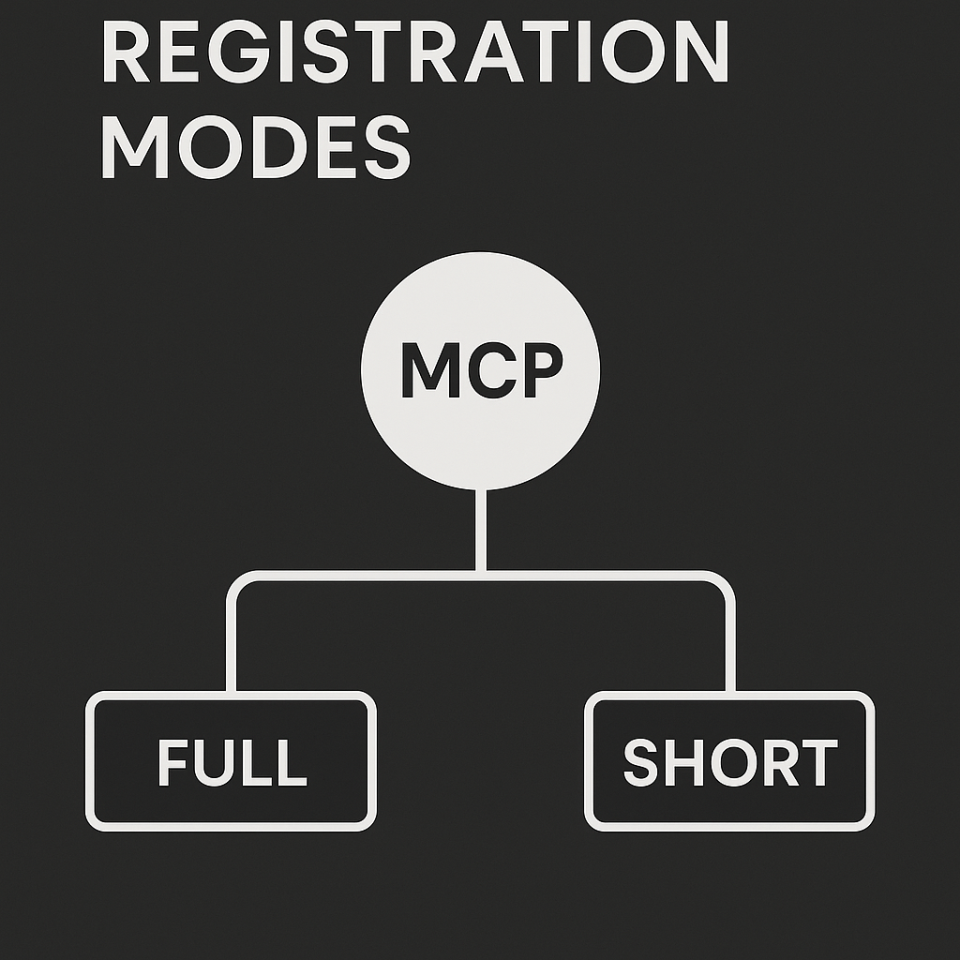
Short groups tools by category - cleaner list, your AI uses category commands to access tools.
Switch between them in the Config Editor.
Configuration
mcp_config.json in your SindByte folder. The Config Editor is just a visual way to edit this file - you can also edit it by hand if you prefer.Troubleshooting
- Make sure SindByte is running (check the main window)
- Verify the URL in your AI client:
http://127.0.0.1:5555/mcp - Restart your AI client to clear cached tool lists
- Check that port 5555 isn't blocked by firewall
SindByte 01.exe in your antivirus settings.Advanced Features
Still Need Help?
Check out these resources or contact support.


Frequently asked questions
This FAQ answers the questions that come up first in real installations: why clients see fewer tools, what short registration means, how the Config Editor changes the runtime catalog, how to activate image tools, and how personal use is separated from business licensing.
Why fewer tools?
Because the website describes the audited product interface, but the client only sees the currently published runtime interface.
Short vs Full?
Full publishes direct tool routes. Short publishes more compactly about categories and uses ToolCatalog.CallTool as a bridge.
Where do I change that?
In the MCP Config Editor and in the Registration Filters dialog. Then reload the client so that the old schema cache disappears.
Is SindByte free?
Yes, SindByte is free for private use. Private users can load the ZIP directly and use the local MCP Runtime on their own Windows computer.
For business, team or commercial use, the right way is through Smart Package Robot License.
Why does my client show fewer tools than the website?
Because the website documents the audited default product interface and not just a single runtime snapshot. The live server only publishes what the current machine, credentials, feature flags, category filters and registration mode allow.
- Feature flags can activate tools, have them confirmed first, or deactivate them completely.
- Registration filters can unblock an entire category, publish only its essential tools, or hide them completely.
- Credential-bound families such as Gmail, M365, Teams, Trading Connectors and Image Routes remain invisible until usable keys are available.
- Short registration intentionally compresses the visible surface.
Fast diagnosis sequence
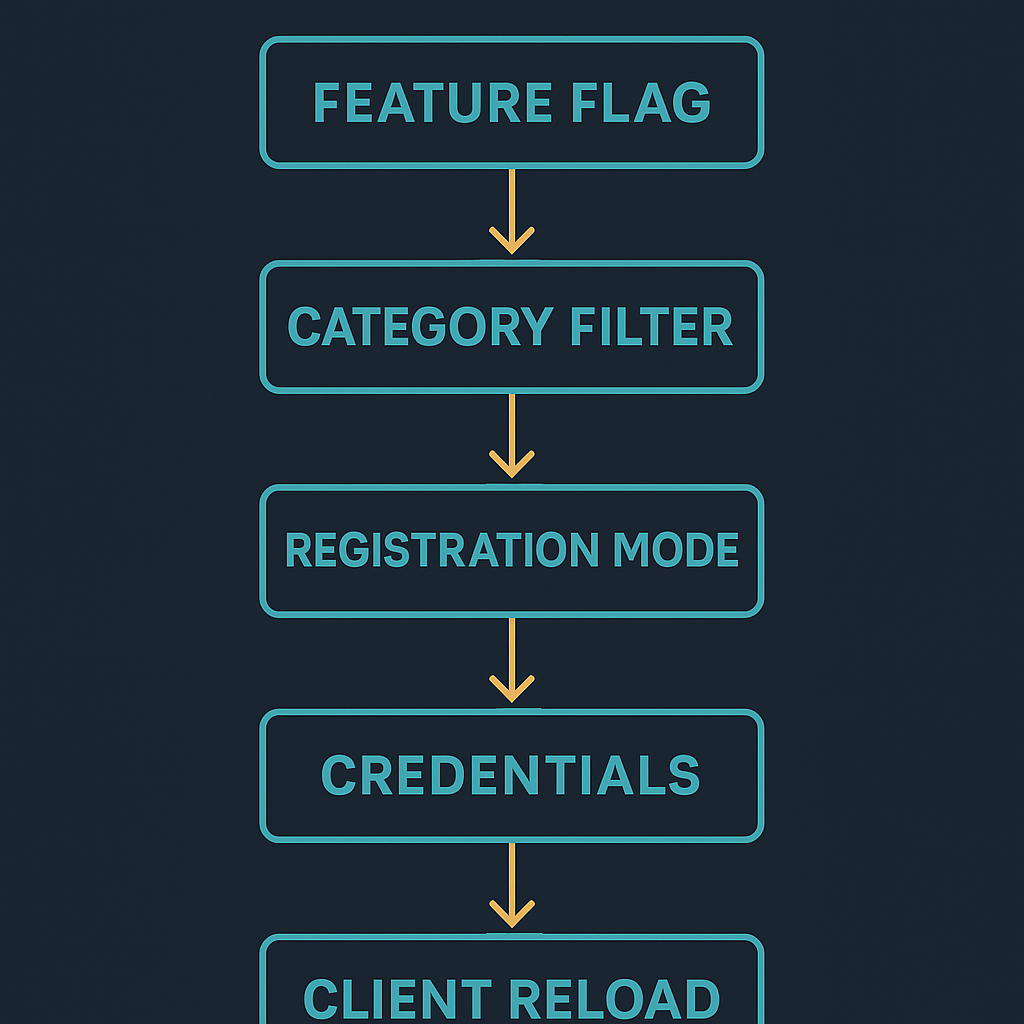
If a tool is missing, start not with the client, but with the publication chain in exactly this order:
- First check the feature flag.
- Then confirm the category filter.
- Then check short versus full registration.
- Then confirm the required credentials.
- Only then reload the client to discard old schemas.
What is Short Registration?
Short registration is the compact publication mode. Instead of outputting each tool as a long direct list, the server emphasizes categories and bridge routes.
ToolCatalog.ListCategorieslists the actively published categories.ToolCatalog.ListToolslists tools within a category and providesinclude_schema=truethe full schemes.ToolCatalog.GetToolSchemareturns the schema for a concrete tool.ToolCatalog.CallToolexecutes the target tool by name.- With IQTools, short mode removes the core aliases
BetterPromptandValidateout. Stand at MemoryToolsRecallandStorein the foreground.
{
  "tool_name": "MathTools::ResolveFormula",
  "arguments": { "formula": "4+66" }
}
What is Full or Long Registration?
Full registration is the direct publication mode. The server provides the activated tool routes itself tools/list ready so that clients can access them directly.
- This mode is convenient for clients who prefer to see a broad direct tool list.
ToolCatalog.*Auxiliary routes may still exist, but are not the only route of execution.- The visible schema surface becomes larger and more detailed.
- If you want the broadest client list, use full mode and leave the required categories active.
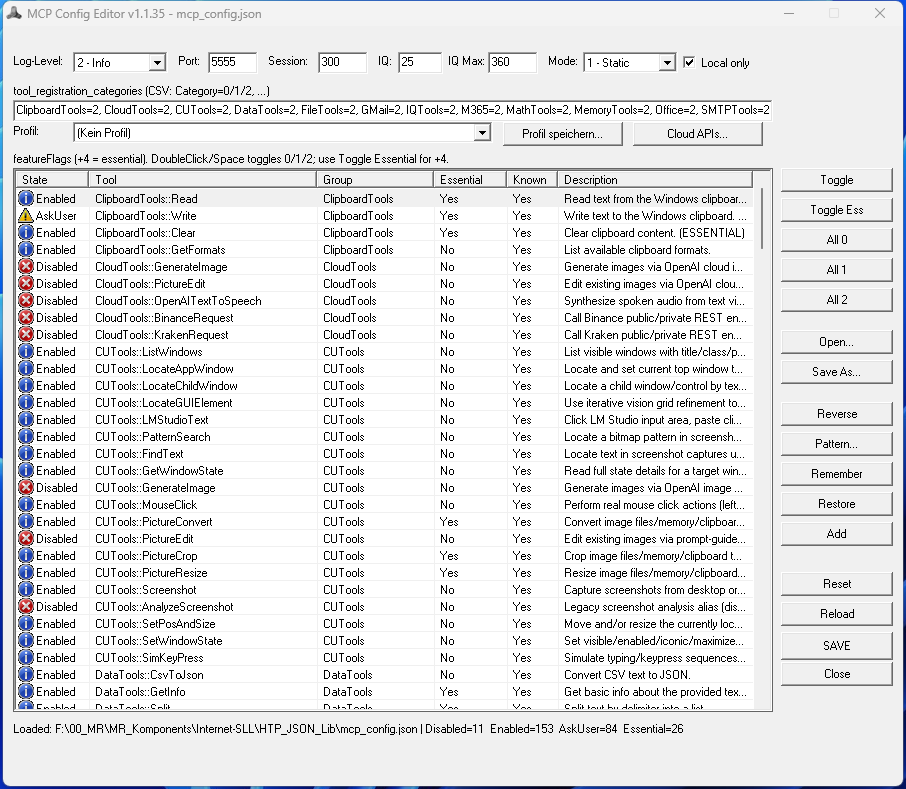

What does the Config Editor specifically control?
- Pro-Tool feature flags with
0disabled,1activated,2ask-first and dem+4Essential bit. - Provider credentials and API testing in the Cloud APIs Center.
- OpenAI image tools including image toggle and image model selection.
- Registration mode, registration categories, port, log level, timeouts and local-only options.
- Profiles and batch actions such as Enable All, Disable All, Ask All and Pattern Selection.
What do ON, ESSENTIAL and OFF mean in Registration Filters?
- ON: the activated tools in this category are published.
- ESSENTIAL: only the tools in this category that are marked as essential will be published.
- OFF: the category remains in
tools/listhidden.
That's why two installations with the same code can still show significantly different client catalogs.
Why are image tools missing or failing?
- Check whether an OpenAI key is saved in the Config Editor.
- Activate
OpenAIImageToolEnabled. - Put a usable one
OpenAIImageModel, for examplegpt-image-1. - Make sure registration mode and category filters continue to publish image routes.
- Reload the client after changes to update the cached schema.
Do I always have to reload the client after configuration changes?
Practically yes. Many MCP clients cache the published schema longer than expected. After changes to feature flags, credentials, registration mode, or category filters, the client should be reloaded before suspecting a server error.
Where is the configuration?
The active configuration is in mcp_config.json. The Config Editor writes the exact same file that the server reads. So GUI and Runtime work on the same feature flag and provider model.
This is precisely why this website can honestly describe the runtime instead of treating UI and server like two separate products.
Was this documentation created using the server itself?
Yes. This site update uses live screenshots from the running Windows application and explainer images provided via CUTools::GenerateImage were generated. The new FAQ and Config visuals on this page come directly from the running server.