
Trading availability is credential-aware. The live surface you see depends on configured venues, build profile, and registration mode.
Trading Hub
Trading Hub is SindByte's operator surface for paper-first AI-assisted trading: scan markets, compare signals, review MultiVote and Consensus output, and only graduate toward live execution when the workflow is ready.
Trading Hub sits next to the audited MCP surface and the live catalog can expose more or fewer trading routes depending on which APIs are configured and which registration filters are active.
Supported Venues
The current English site reflects the audited 12-venue surface. Individual venues can still stay hidden or inactive at runtime until valid credentials exist.
Real Trading Forms from the Current Build
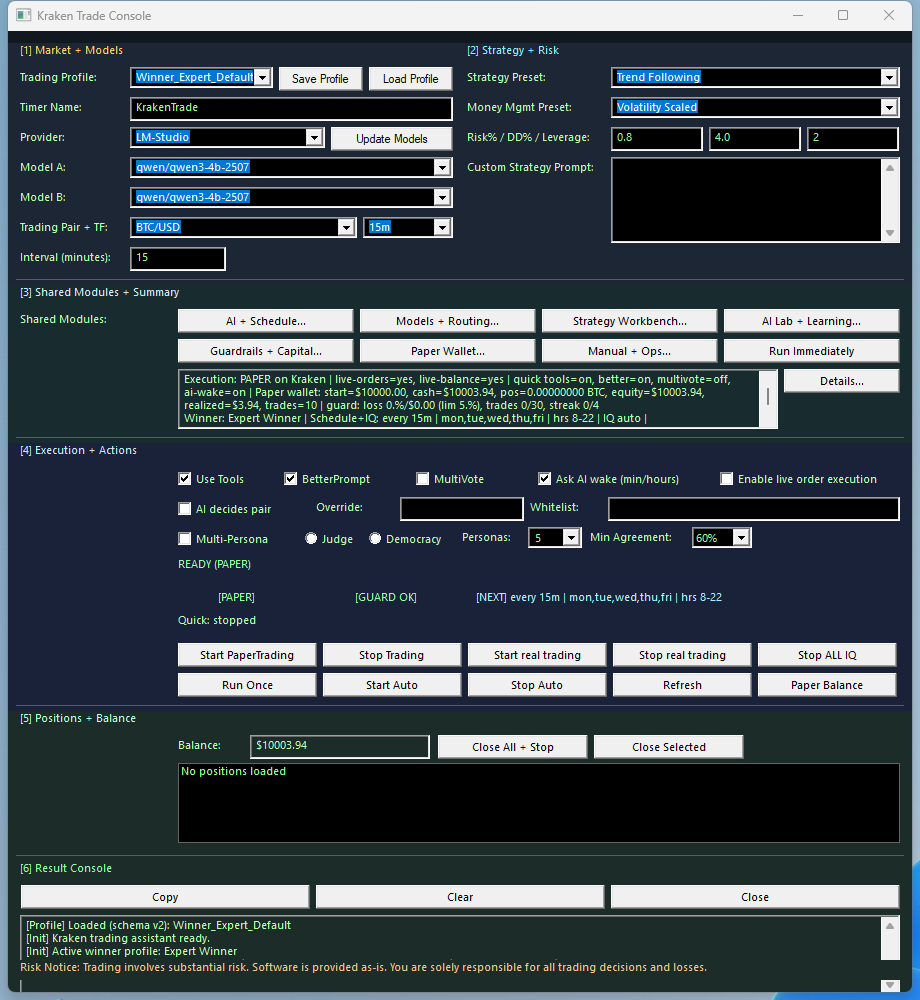
Trade Console
Venue selection, risk framing, strategy fields, and session actions in the live trading shell.
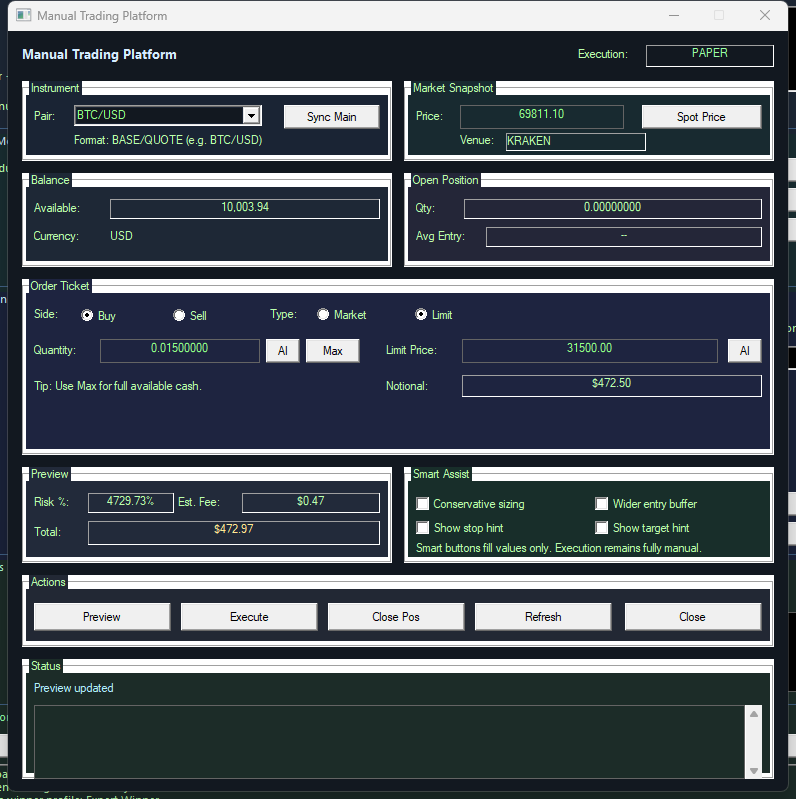 Manual Trading
Paper-first execution surface for controlled entries, exits, and repeatable session review.
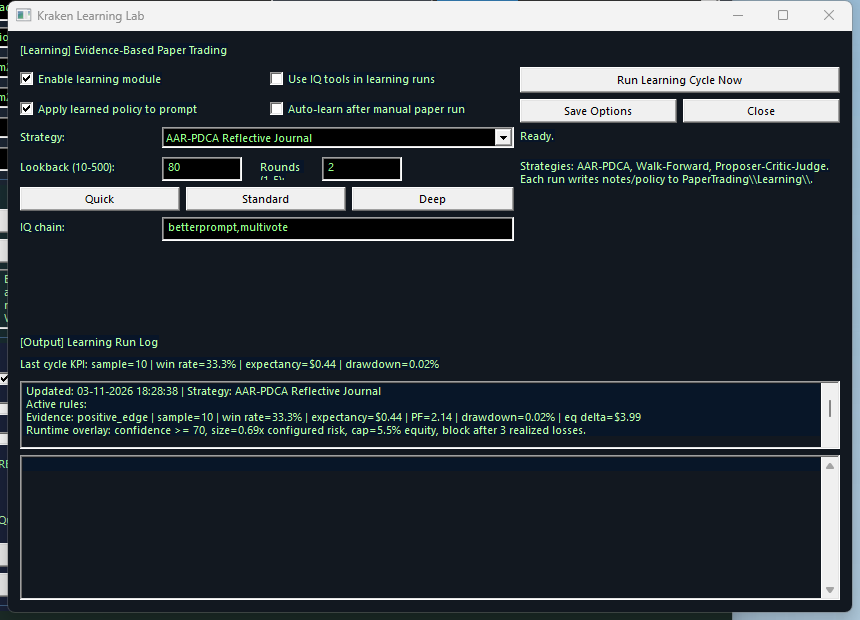 Learning Lab
After-action review and learning capture so trade ideas turn into documented policy instead of memory.
TradingIQ and TradingAI Stack
Scan and rank markets by technical and liquidity signals so the session starts from a narrowed candidate list instead of raw venue noise.
Run a 5-expert vote over one candidate idea to compare technical, macro, risk, quant, and contrarian views before acting.
Request a deeper strategy-style analysis with explicit risk framing when a quick vote is not enough.
Review paper results, store observations, and turn each session into a repeatable learning loop instead of isolated one-off trades.
Keep the session alive through a circular decision flow with explicit next actions, persistent context, and clean session end points.
Verify exchange and data-provider credentials live so you know whether the runtime can publish and use a given route safely.
DecisionMenu v2 Session Loop
Paper-First Operational Path
Continue
Go to the manual for setup, or use the workflow page for concrete trading, timer, and review sequences that combine Trading Hub with the wider SindByte platform.