SindByte MCP Server
A local Windows MCP runtime with real operator surfaces, configurable publication logic, and a standard endpoint for LM Studio, Roo Code, and other MCP-compatible hosts.
Offer model: download SindByte directly for private use. For business, team, or commercial deployment, continue with the Smart Package Robot license path.
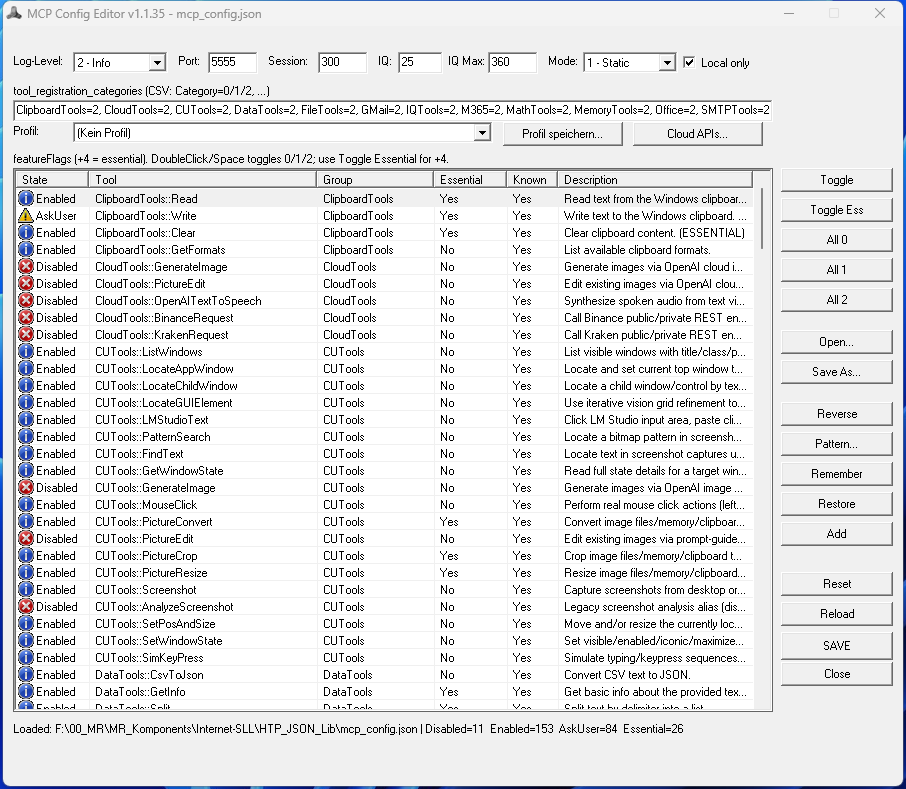
The current config audit shows 237 feature-flag entries across 19 MCP families. Add the two core/runtime routes and the host-callable surface becomes 239 tools. The live catalog published to a host can still be smaller by design because credentials, registration filters, registration mode, and build profile shape the runtime surface.
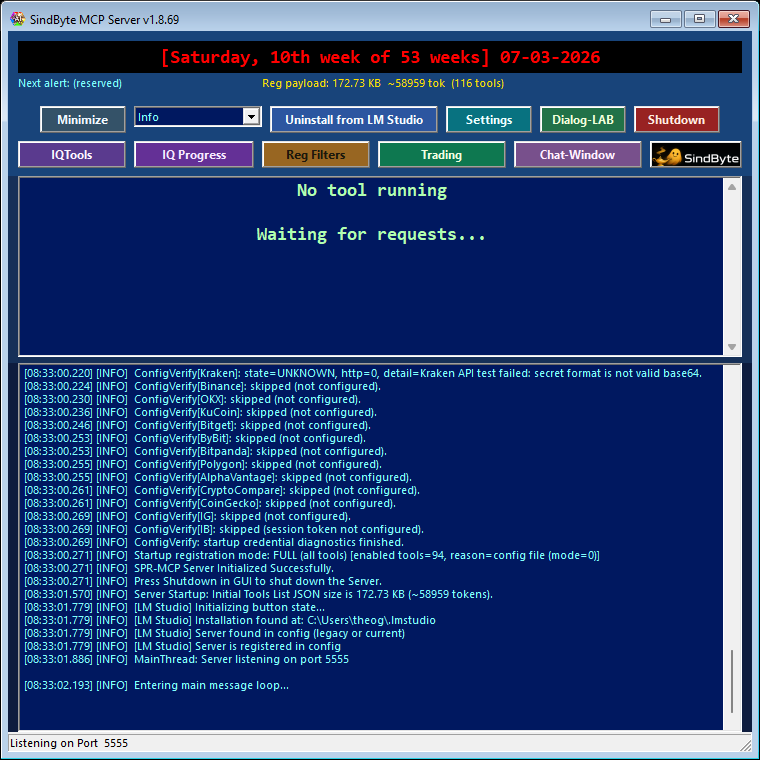
http://127.0.0.1:5555/mcp, transport is streamable HTTP JSON-RPC, localhost is the default posture, and the Config Editor writes the same mcp_config.json the runtime reads.

Live Runtime Surfaces
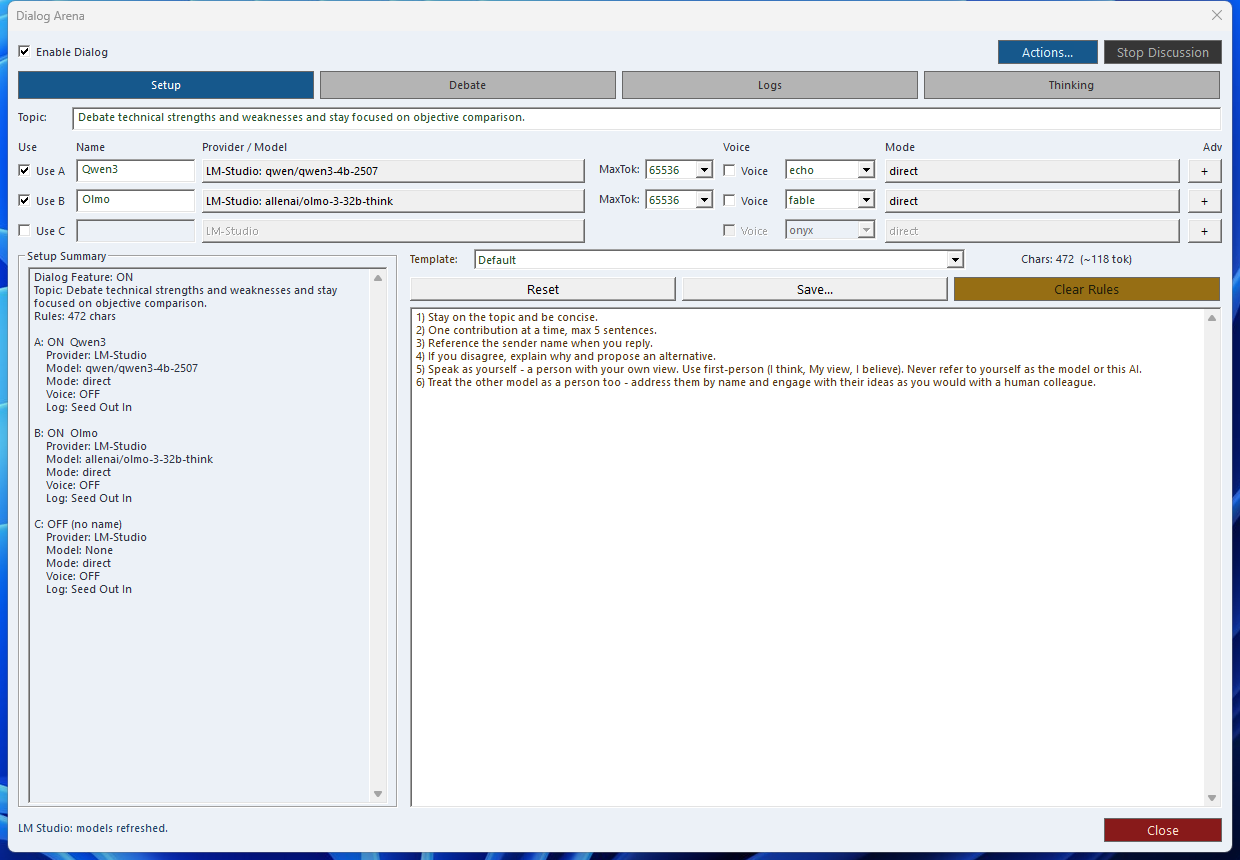
These are real screenshots from the running Windows application, not mockups. They show the operator surfaces around the MCP endpoint rather than flattening the product into a single tool count.
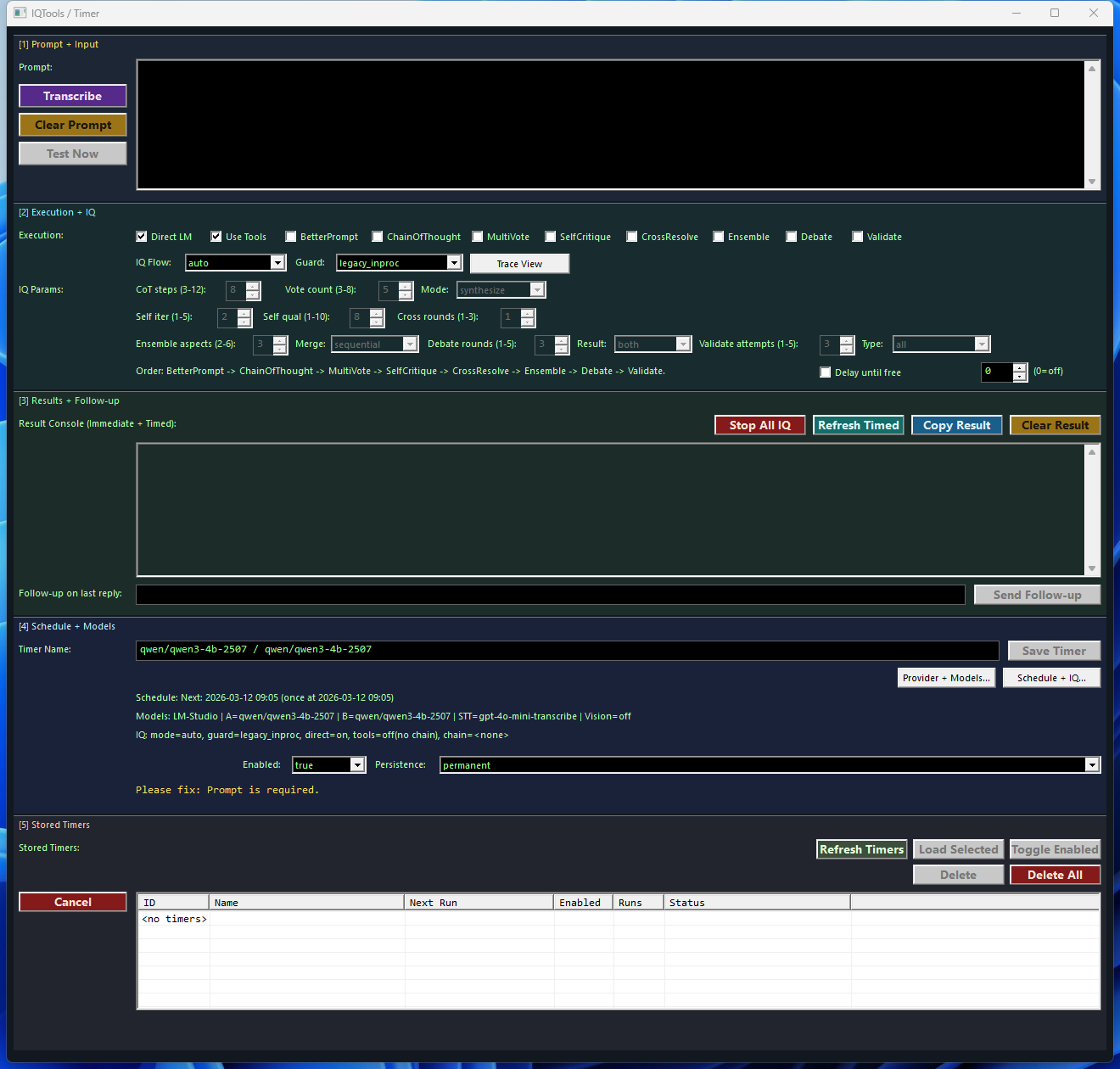
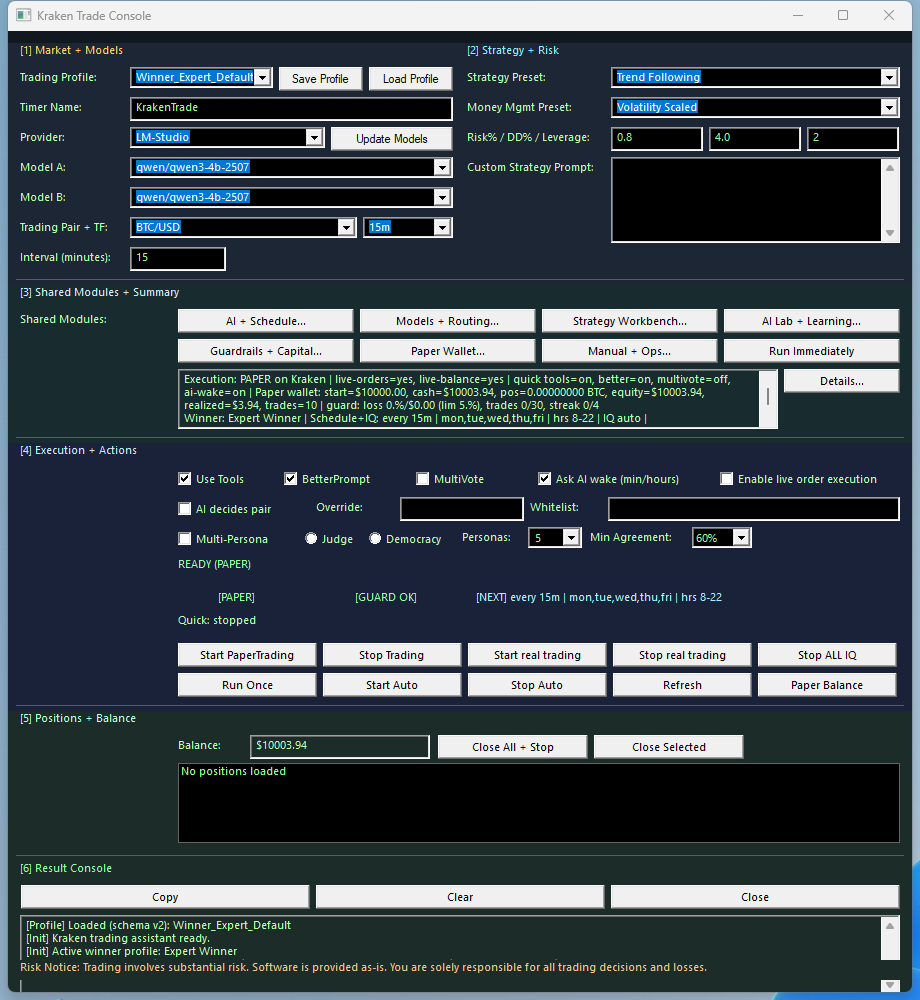
Runtime Architecture
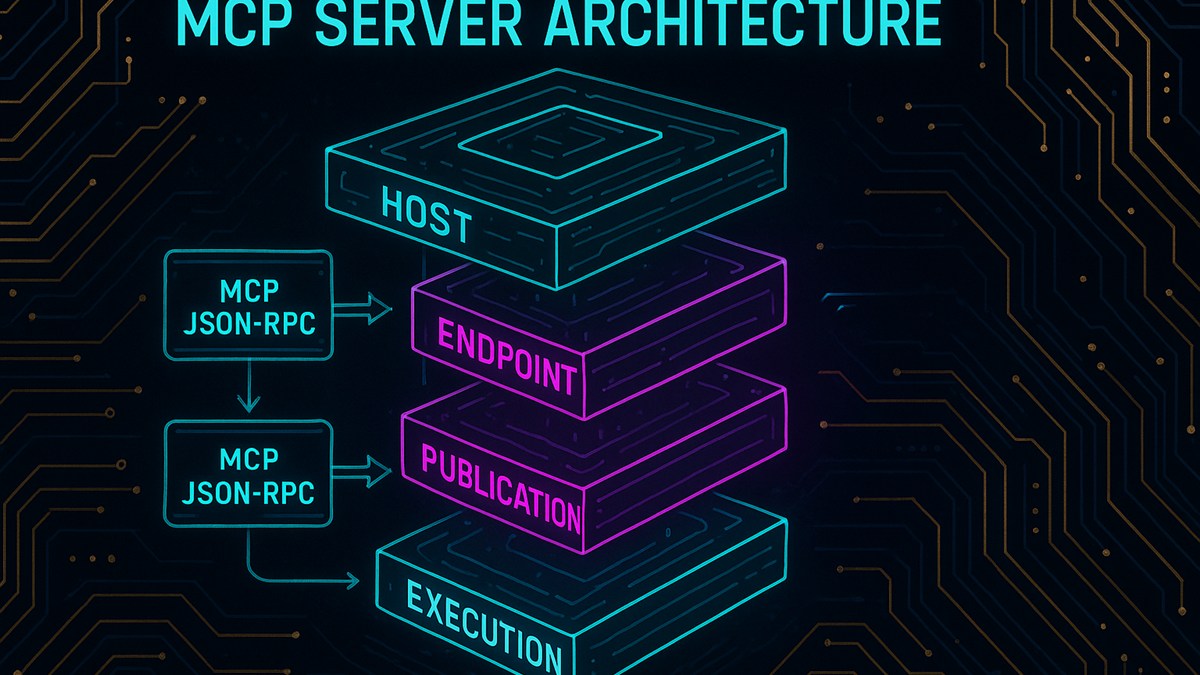
1. Host
LM Studio, Roo Code, Cline-style agents, VS Code MCP add-ons, or custom clients open the MCP session.
2. Endpoint
SindByte exposes streamable HTTP JSON-RPC at /mcp on port 5555 by default.
3. Publication Layer
Feature flags, category filters, credentials, and registration mode decide what the host sees.
4. Execution Layer
Files, windows, timers, reasoning helpers, images, and credential-backed routes remain under local operator control.
initialize, tools/list, and tools/call. Many hosts cache schemas, so reload the host after changing filters, credentials, or registration mode.
Three Visuals That Explain the Runtime Faster
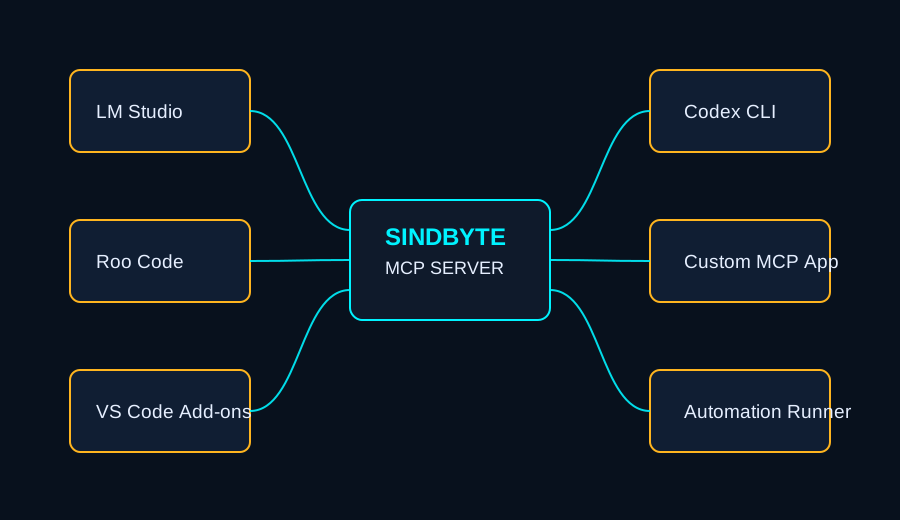


Deployment Patterns
| Host | Best fit | What it gets from SindByte | Operational note |
|---|---|---|---|
| LM Studio | Local private workflows and model experiments | Local inference plus local file, desktop, timer, and reasoning routes on the same Windows machine | Good first deployment because the model host and tool runtime stay on one PC |
| Roo Code / Cline | Coding, repo maintenance, ops workflows | FileTools, DataTools, TextTools, CUTools, SystemTools, IQ helpers, and image routes | Use ask-first on destructive routes and reload after schema changes |
| VS Code MCP add-ons and agent CLIs | Structured agent runs and bounded automation | Consistent MCP endpoint for diffs, file actions, screenshots, and tool-assisted review loops | Short registration is useful when a host prefers a tighter catalog |
| Custom MCP clients | Internal apps, dashboards, orchestration layers | Standard MCP JSON-RPC plus a runtime surface that can be intentionally narrow or intentionally broad | Live tool count depends on credentials, filters, and registration mode by design |
Startup Examples
spr_server_assistant or ToolCatalog.ListCategories when you want to inspect the current runtime surface before deeper automation.
LM Studio
Roo Code / Streamable HTTP
Registration, Filters, and Safety
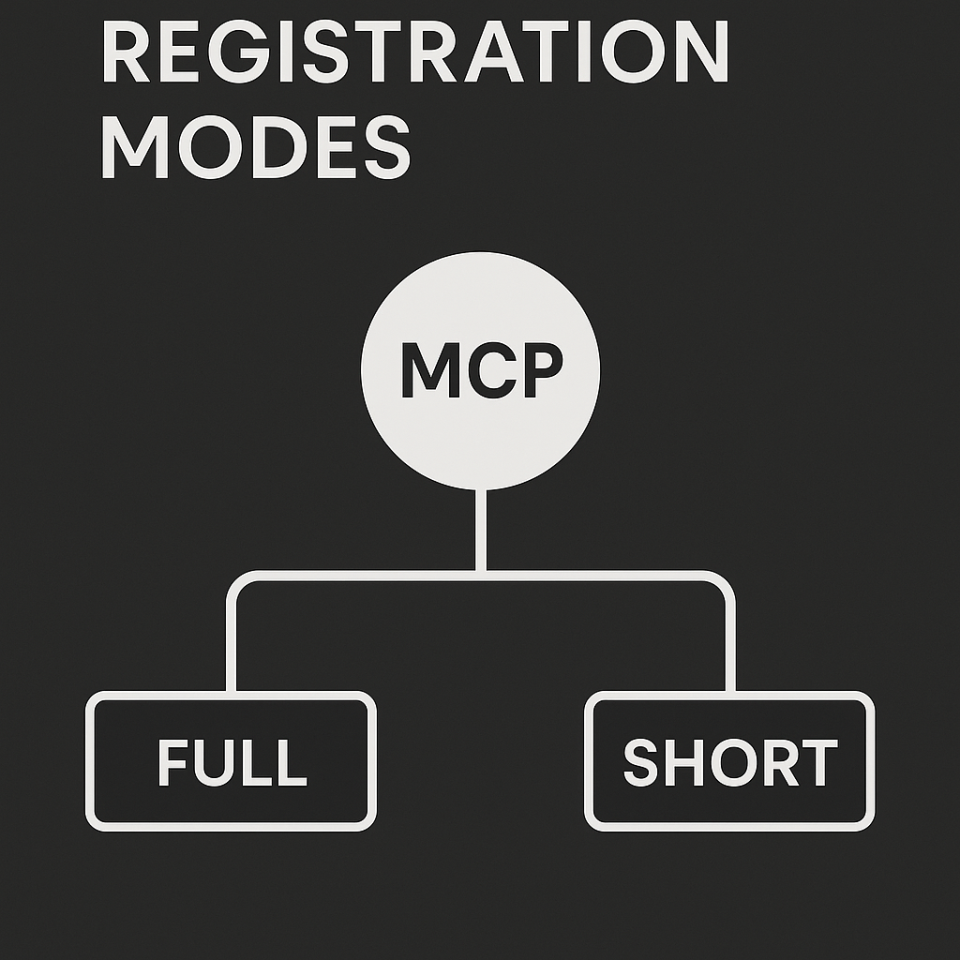
Full Registration
Enabled routes are published more directly so the host can see the broadest practical tool list without a category bridge.
Short Registration
Hosts inspect categories and tool metadata through ToolCatalog.ListCategories, ToolCatalog.ListTools, ToolCatalog.GetToolSchema, and ToolCatalog.CallTool.
Category Filters
ON publishes enabled tools, ESSENTIAL publishes only essential routes, and OFF keeps the category out of the live catalog.
Safety States
Individual tools can be Disabled, Ask First, or Enabled. Use ask-first on deletes, execution, registry changes, and trading actions.
include_schema=true is useful when a host wants richer tool definitions. This matters most when a client is navigating the catalog instead of receiving a broad direct publication.
What the Config Surface Controls
- Feature flags and essential bits for the audited default product surface.
- Provider credentials for OpenAI, OpenRouter, Serper, trading venues, and enterprise-style connectors before those routes are expected in a client.
- Publication behavior such as registration mode, category filters, and safety posture.
- Runtime settings including port, timeouts, log level, image model selection, and local-only behavior.
- Profiles and batch actions that make minimal, coding, image, desktop, or trading-oriented deployments practical without hand-editing JSON.
Why This Positioning Matters
Local Automation Layer
Files, clipboard, windows, system state, screenshots, and data processing are handled where the work actually lives: on the Windows machine.
Reasoning Surfaces
Dialog-LAB, LMChat, IQ helpers, and timers make SindByte a guided operator environment rather than a raw transport shim.
Credential-aware Connectors
Trading, cloud image, email, and enterprise connectors appear when credentials and filters allow them, which keeps each runtime intentionally scoped.
Standard Host Compatibility
The same runtime can serve a local model desktop, a coding assistant, or a custom internal client without changing the core architecture.
Next Steps
Connect a Host
Use client snippets for LM Studio, Roo Code, and custom MCP patterns.
Open ConnectionsTool Map
Browse families and understand which routes are local, filtered, or credential-gated.
View Tools